Quick start guide for Fiat Professional Ducato
To start using the Wi‑Fi in your Fiat Professional Ducato MY21 equipped
with 10.1” Uconnect™ 5 radio, follow the 3 easy steps below:

DOWNLOAD
THE APP

CREATE
YOUR UBIGI ACCOUNT

ENABLE WI‑FI HOTSPOT FEATURE
CONNECT YOUR PERSONAL DEVICE
 Download the Ubigi app on your smartphone
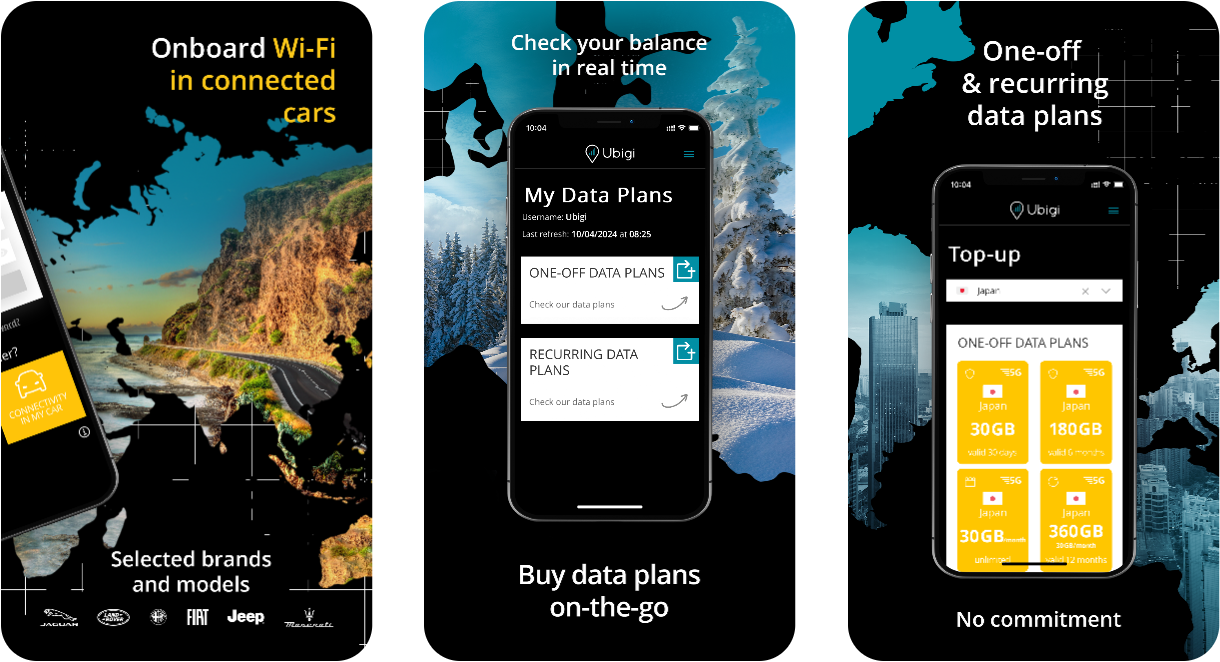




 Create your Ubigi account


1- Launch the Ubigi application from your mobile device.
2- Select “Sign up”.
3- Fill in the required information and create an account. Complete your account creation process by verifying your email address.
4- Link your Ubigi eSIM: Choose ‘Connected cars’ and then select FIAT.
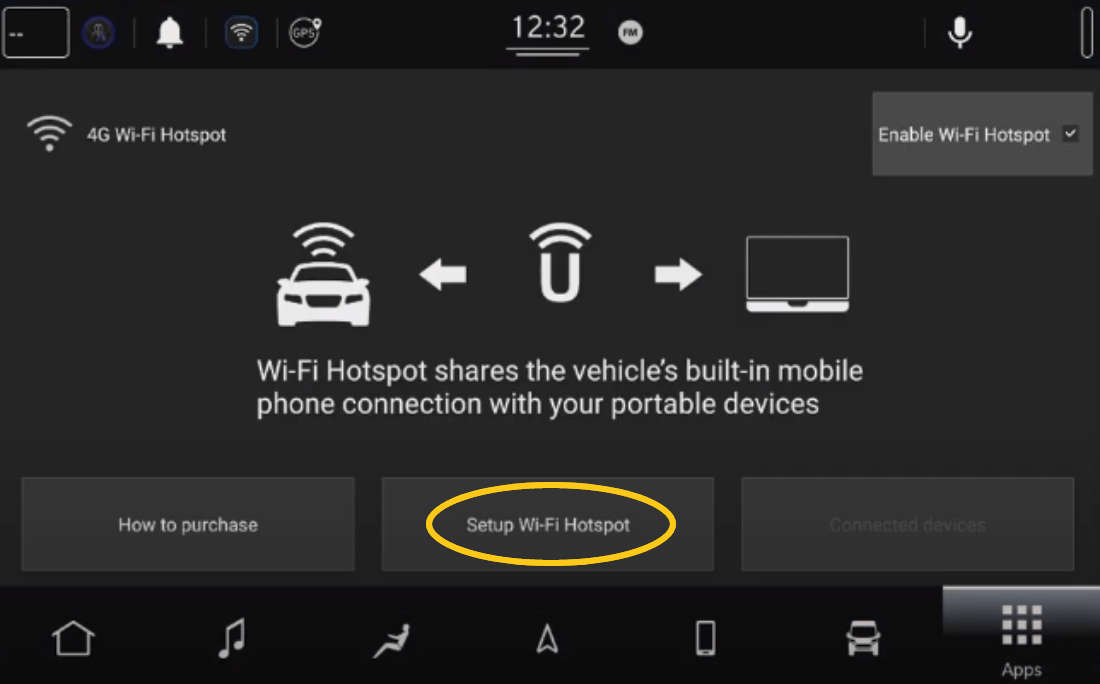
 Enable the Wi‑Fi hotspot feature on the radio screen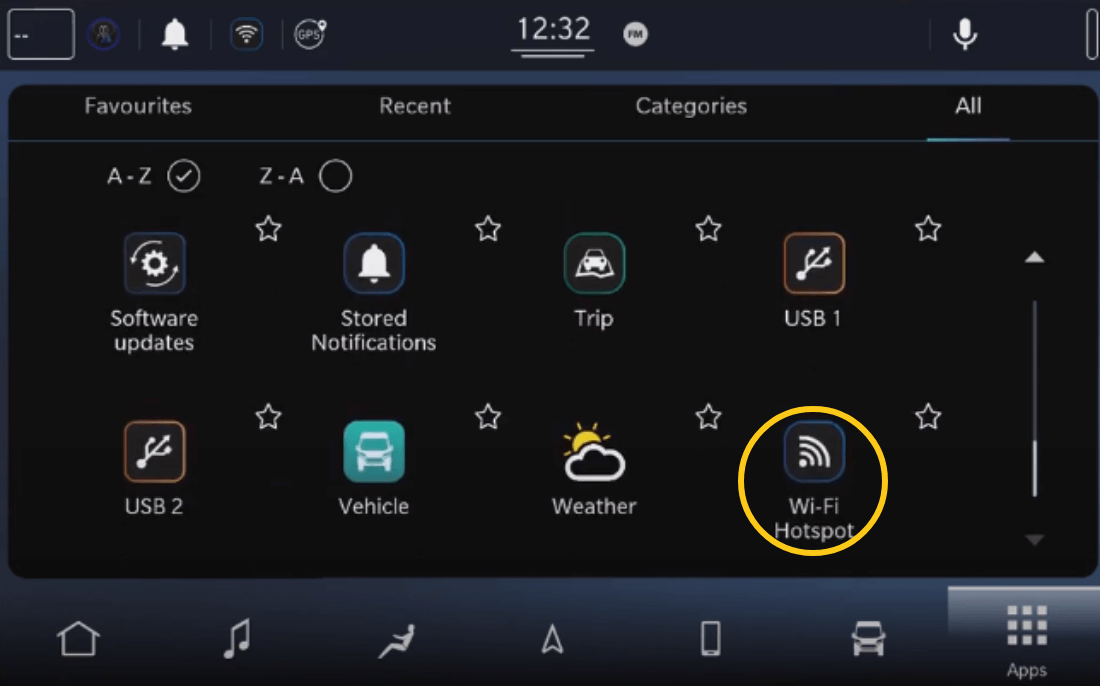
-
Select Wi-Fi Hotspot Menu on the head unit main page.
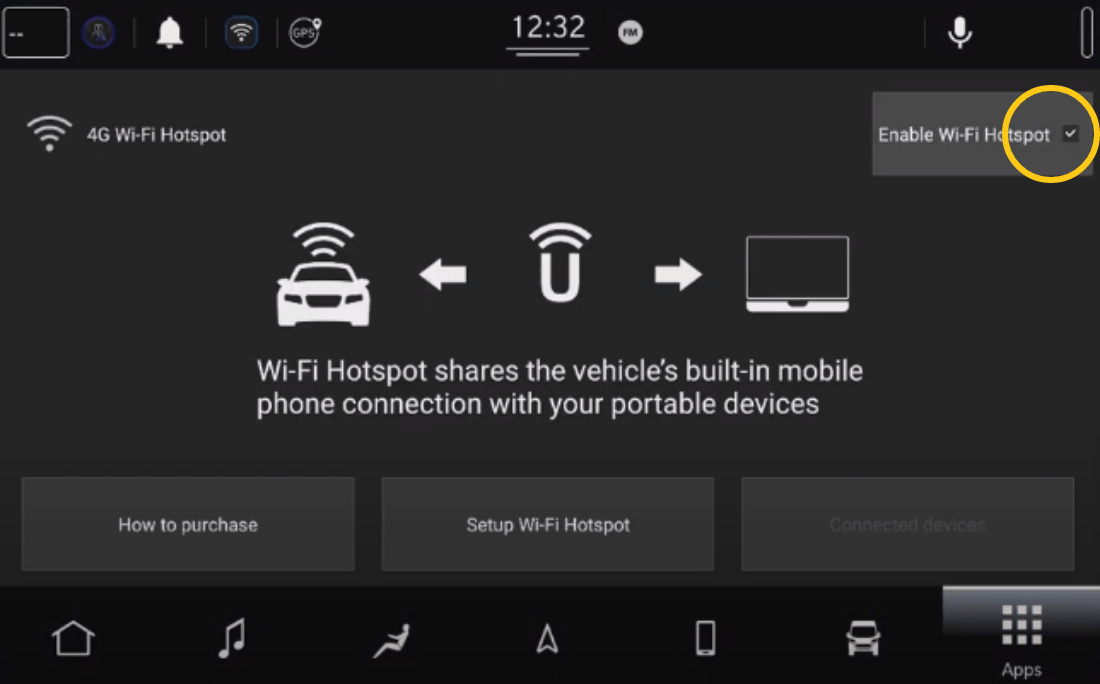
-
Tick the Enable Wi-Fi Hotspot box.
Check that the van ignition key is set to ON or START. -
A Wi-Fi signal should appear on the top left of your screen.

 VEHICLE CONNECTIVITY SETTINGS
Connect to the vehicle’s Wi‑Fi hotspot using a mobile device i.e. smartphone or tablet:
-
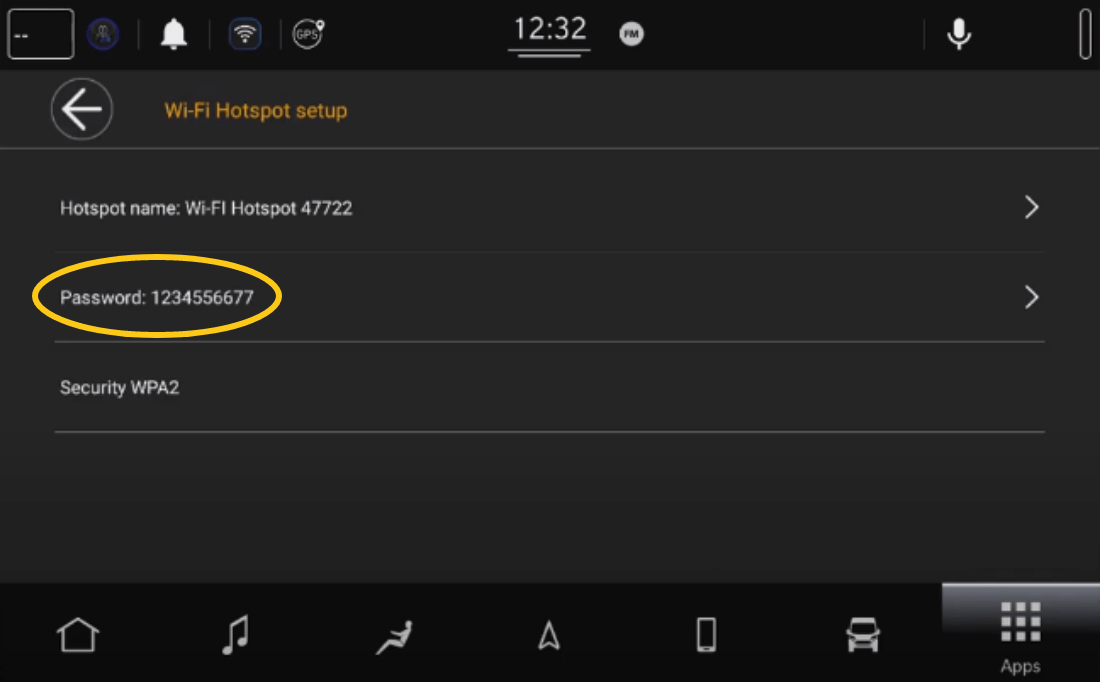
In the Wi‑Fi menu of your device, select the vehicle’s hotspot Uconnect™ Hotspot xx and enter the password and connect.
You can find the password in the Wi‑Fi hotspot Setup Menu.
-
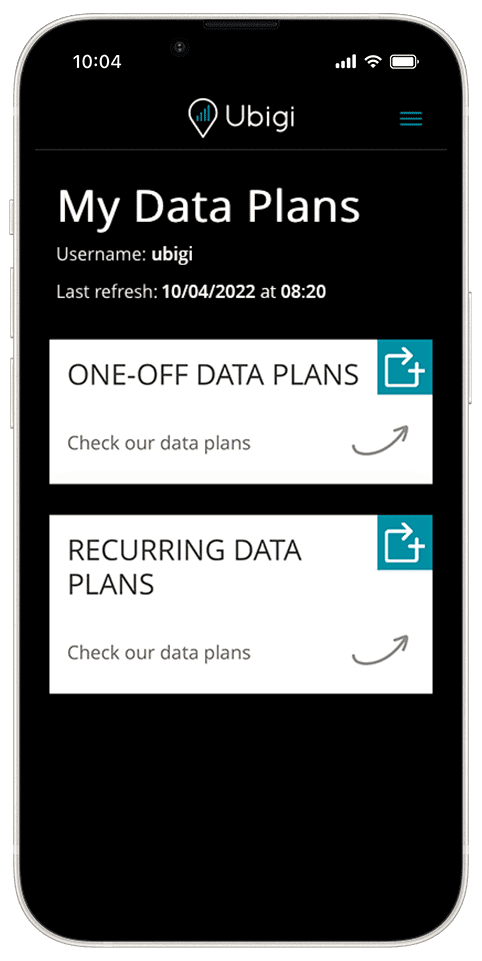
Finalize your connectivity setup by returning to the Ubigi app.
You can now start surfing the Internet!
Activate Amazon Alexa voice service and driving becomes more exciting! Discover more.
Once logged into your Ubigi account, you can (free of charge):